Offline reading is available
Keep reading when the connection disappears.
Use the site offline without installing anything. One tap saves the essential public reading; an app icon is optional.
Set up offline reading- One-tap essentials
- No Chrome menu required
- Four optional packs
- Save only what you need
- Device-local control
- Update or remove at any time
Deliberate downloads
The first visit stays light. Each pack is saved only after you choose it, with live page progress and a retry path.
Freshness you can see
Every saved pack records its page count, save date, and content version. Reconnect to review and update stale packs.
Private to this device
Cache records and text-first preference remain in this browser. No account, background submission, payment, or synchronization is created.
Offline controls · This device
Choose what to keep on this device.
Save public reading for unreliable connections. Status, dates, versions, and storage use are measured in this browser.
Checking offline availability…
Offline ready
Saved reading is available on this device.
Choose any link below. These are the pages confirmed in this browser’s saved content packs.
No installation is required. “Use offline now” saves the essential reading immediately. The app icon is an optional Chrome or Safari shortcut.
Core Reading
Start Here, the framework, the browser excerpt, and offline help.
Not saved.
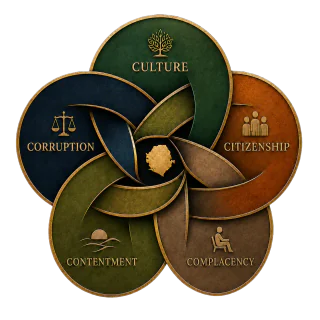
The Five Cs
The framework overview, each C, and breaking the cycle.
Not saved.
Practical Tools
Assessment, planner, private circle builder, checklists, and diagnostics.
Not saved.
Educator Pack
Educator guidance, book clubs, discussion material, and reading-circle tools.
Not saved.
Offline Library
Find everything saved on this device.
0 saved pages · 0 bookmarks · 0 notes
Continue readingSave a page pack to build your offline library and search index.
First-use checklist
Know the offline path before you need it.
Reading preferences
Comfortable reading, remembered on this device.
These settings work online and offline.
Expanded PWA tools
Protect, move, and maintain your offline library.
Advanced offline tools are ready.
Last background check: Not yet
Language-ready editions
Download only the edition you need.
English is reviewed. The Krio slot remains disabled until an editorially reviewed translation exists.
Offline document shelf
Worksheets and PDFs saved deliberately.
Documents can be large. Save each one separately while connected.
- Checking available documents…
Local backup and restore
Move reader tools without creating an account.
Exports bookmarks, notes, reading position, preferences, checklist, and saved-item lists. Cached files must be downloaded again.
Text-first low-data mode
Reload pages without decorative WordPress images and reduce visual effects. Essential diagrams and meaningful images remain available.
Large PDFs, audio, video, search, forms, subscriptions, accounts, administration, cart, checkout, orders, payments, and personalized responses are not included in page packs.
Proposed · not active yet
What else can we do with the PWA?
The next useful release should improve low-data reading and group learning without adding accounts, hidden downloads, or distracting notifications.
Custom page packs
Let readers choose individual public pages and save them together as a named, removable pack.
Download budget
Set a data limit before saving and show exactly which pages or documents fit inside it.
Section bookmarks
Save several named positions within a long reading and return to each point without searching again.
Printable session packet
Combine selected readings, prompts, worksheets, and facilitator notes into one lightweight print-ready packet.
Reviewed Krio text pack
Add low-data Krio reading only after translation and accessibility review by appropriate editors and readers.
Offline session kit
Bundle selected readings, prompts, worksheets, and facilitator notes into one lightweight pack for classrooms and community discussions.
Installation fallback
Install from the browser when Chrome does not offer a prompt.
Android Chrome: open the three-dot menu, choose Add to home screen, then Create shortcut or Install app. Computer Chrome: open the three-dot menu, choose Cast, save, and share, then Install page as app or Create shortcut. iPhone or iPad: open the page in Safari, choose Share, then Add to Home Screen.
Offline reading does not require installation. Use offline now must work separately from Chrome’s installation prompt.
Stories & Games is a separate website.
These offline packs cover the book site’s public reading only. They do not save the Mango Yard School game, its stories or its activities. Open Stories & Games while connected.
Explore the children’s companion