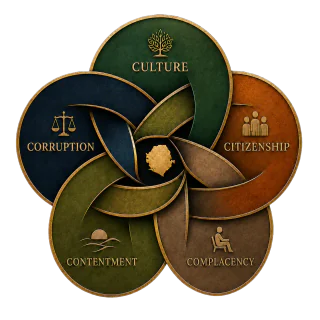
Build a reading circle that moves from reflection to responsible dialogue.
Create a practical session plan for a class, book club, community group, workplace, or online circle—without registering the group or submitting its information.
5–8 minutesNo accountNothing submitted or savedPrint or download
Plan with care
Give the conversation enough structure to remain open, safe, and useful.
The builder creates a private working plan. It does not register an event, reserve a speaker, certify a facilitator, create membership, collect payment, contact participants, or publish an initiative.
Privacy: entries remain only in this browser tab. Use roles rather than unnecessary names, and do not enter private contact details, confidential records, or unsupported allegations.
Preference center
Privacy choices
Optional categories begin turned off. You can change them at any time. Turning off embedded media removes active Facebook and YouTube players from this page, but it cannot withdraw information already shared with an external provider.
Optional app icon
Use Chrome’s current app or shortcut command.
You do not need to install anything for offline reading. Use the one-tap offline setup below. Add an icon only if you want the site on your home screen or desktop. If this page is inside ChatGPT, Facebook, or email, first choose Open in browser.
Android · Chrome
Create a shortcut
Tap Chrome’s three-dot menu.
Choose Add to home screen, then Create shortcut.
If Chrome shows Install app instead, use that.
Computer · Chrome
Install the page as an app
Open Chrome’s three-dot menu.
Choose Cast, save, and share.
Choose Install page as app or Create shortcut.
iPhone or iPad
Use Safari
Open this page in Safari.
Tap Share, then Add to Home Screen.
Tap Add.
If Chrome does not show either command, the website cannot reveal it or force the native prompt. The offline setup still works and can be opened from a normal bookmark.