Skip to content
A guided way in
Find Your Place in the Five C Conversation. Choose what brings you here. We will point you to one clear starting place and the strongest next steps for your purpose.
Pathways 7
First step 1
Commitment Yours
Start with purpose
What brings you to The 5C Theory today? There is no wrong entry point. Choose the purpose closest to yours; you can change it at any time.
Your recommended route
Choose a purpose above, or explore every pathway. Families and younger learners · Suggested for ages 7 and up Begin at Mango Yard School. Share a story, explore a choice and discuss fairness with the book’s children’s companion.
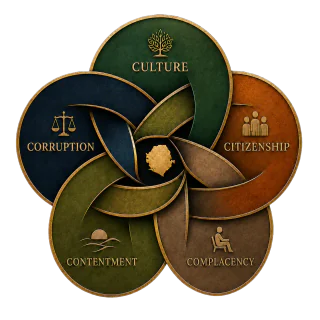
Explore Stories & Games Understand the theory Begin with the Five Cs. Meet Culture, Corruption, Citizenship, Contentment, and Complacency as one connected public system.
Explore the Five Cs Read and reflect Begin with a free chapter. Read “Citizenship Reclaimed,” then use the Reflection Guide to connect the framework to lived experience.
Take the reflection assessment Teach or host a group Begin with the Educator Center. Choose a learning pathway, review teaching safeguards, or adapt the structured discussion materials for your group.
Open the Educator Center Research or media Begin with the official Media Center. Use approved descriptions, author information, interview themes, downloads, and the factual correction route.
Open the Media Center Invite or collaborate Begin with speaking and workshops. Review the available formats, then send a professional request with enough context for responsible planning.
Explore speaking formats Publication and ordering Begin with publication status. See what is confirmed, review planned editions, and use the quote-based route for institutional or event needs.
View publication status
Already know what you need?
Search the complete site instead. Search across the framework, essays, audio and video, resources, programs, and publication pathways.
Open site search
How this page works Need help choosing where to begin? Use the Site Guide to choose the reading, learning, media, or participation path that fits you.
Read the Site Guide Continue exploring
Choose your next step
Your privacy choices
Optional external services stay off until you choose.
Essential website functions remain available. Facebook and YouTube content connects only when you choose to load it. Meta measurement stays off unless you separately allow Advertising & Meta measurement.
Read the Cookie Notice
Reject optional
Choose settings
Allow embedded media
Preference center
Privacy choices × Optional categories begin turned off. You can change them at any time. Turning off embedded media removes active Facebook and YouTube players from this page, but it cannot withdraw information already shared with an external provider.
Essential website operation Provides security, remembers your privacy choices, and supports a currency, cart, or checkout function you request. This category is always active.
Optional embedded media Lets a Facebook or YouTube item connect only after you choose to load it. The provider may then receive your IP address, browser information, and its own cookies under its terms.
Advertising & Meta measurement If you allow it, Meta may receive PageView or ViewContent for selected public pages. A matching server request may include your IP address and browser user agent so the browser and server copies can be counted as one visit. We do not include your name, email, phone number, form entries, civic responses, customer lists, or purchase and registration events. Optional and off until you select it. Global Privacy Control or Do Not Track keeps this category off. Your browser privacy signal keeps this category off.
5C
Offline reading is available Save the essential reading in one tap. Adding an app icon is optional. Install app Use offline now Add app icon Not now
Optional app icon
Use Chrome’s current app or shortcut command. Close You do not need to install anything for offline reading. Use the one-tap offline setup below. Add an icon only if you want the site on your home screen or desktop. If this page is inside ChatGPT, Facebook, or email, first choose Open in browser .
Android · Chrome Create a shortcut Tap Chrome’s three-dot menu. Choose Add to home screen , then Create shortcut . If Chrome shows Install app instead, use that. Computer · Chrome Install the page as an app Open Chrome’s three-dot menu. Choose Cast, save, and share . Choose Install page as app or Create shortcut . iPhone or iPad Use Safari Open this page in Safari. Tap Share, then Add to Home Screen . Tap Add . If Chrome does not show either command, the website cannot reveal it or force the native prompt. The offline setup still works and can be opened from a normal bookmark.
5C
↶ 15
▶
30 ↷
0:00 / 0:00
Speed0.75× 1× 1.25× 1.5× 1.75× 2× 2.5× ×
01 Home 02 Start Here 03 Search 04 Free Excerpt