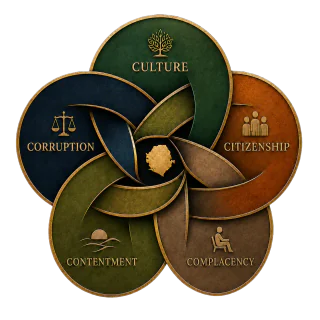
The unknown citizen arrives with only the lawful application, required documents, complaint, eligibility or right.
No personal introduction.
No influential relative or political sponsor.
No private payment.
No insider contact.
Test the procedure
Look beyond one helpful official and examine whether the process works consistently.
Requirements and lawful fees are visible.
A receipt or reference is issued.
Timing, criteria and reasons are explained.
A safe complaint or review route exists.
The result does not change because a powerful person calls.
Redesign access
Identify where personal access enters the process and what design change would reduce its value.
Publish the procedure.
Record decisions and exceptions.
Protect staff who follow the rule.
Review repeated access complaints.
Preference center
Privacy choices
Optional categories begin turned off. You can change them at any time. Turning off embedded media removes active Facebook and YouTube players from this page, but it cannot withdraw information already shared with an external provider.
Optional app icon
Use Chrome’s current app or shortcut command.
You do not need to install anything for offline reading. Use the one-tap offline setup below. Add an icon only if you want the site on your home screen or desktop. If this page is inside ChatGPT, Facebook, or email, first choose Open in browser.
Android · Chrome
Create a shortcut
Tap Chrome’s three-dot menu.
Choose Add to home screen, then Create shortcut.
If Chrome shows Install app instead, use that.
Computer · Chrome
Install the page as an app
Open Chrome’s three-dot menu.
Choose Cast, save, and share.
Choose Install page as app or Create shortcut.
iPhone or iPad
Use Safari
Open this page in Safari.
Tap Share, then Add to Home Screen.
Tap Add.
If Chrome does not show either command, the website cannot reveal it or force the native prompt. The offline setup still works and can be opened from a normal bookmark.